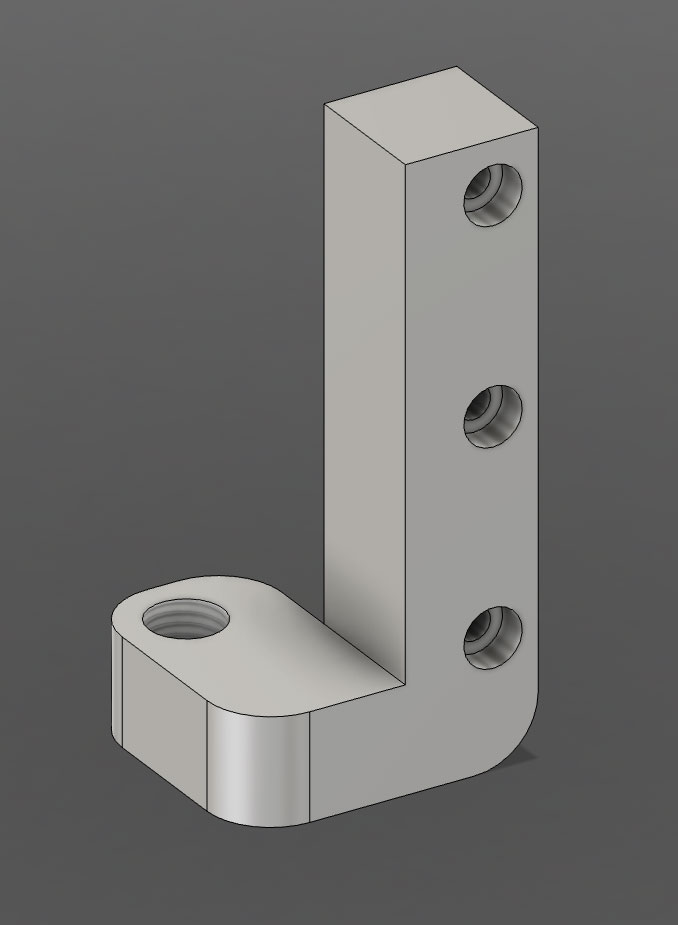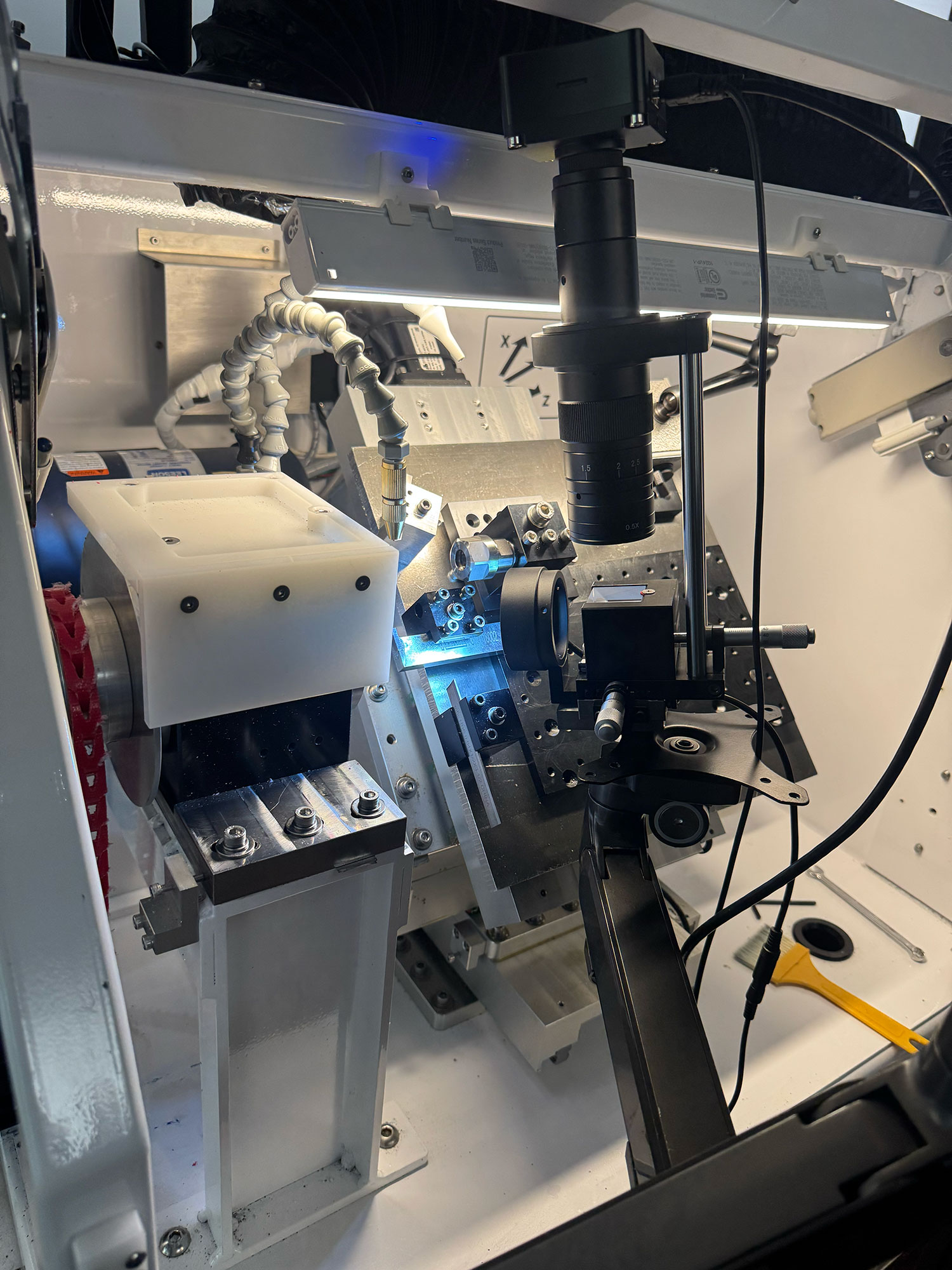

TLDRThe CAD for your probe fixture is done and off to the shop, with a month-long wait for machining. Meanwhile, your Macro M905 is refining its magic, now able to correct for minute setup errors, aiming for no deviation before the fixture returns. Fingers crossed for that perfect zero reading on every axis when everything's set up. 🔧
Show moreShow less
The probe fixture finally made it from napkin sketch to finished CAD. I’ve queued the RFQ on mfg.com; the shop says about a month until brass chips fly on their end. Waiting is hard, but knowing the part will come back dead-square is worth it.
Macro M905 Still Steals the Show
While the fixture is off getting machined, the Lua macro keeps proving its value. In addition to auto-zeroing Z, it now lets me sweep the probe across the ceramic puck, sample two points, and calculate the tiny X/Y angle error of my current setup. Goal: drive that number to 0.000 ° before the new fixture lands.
Next Steps
Wait for the part: ~4-week lead time from the shop.
Tune the macro: refine the X/Y angle routine so the offsets drop into the table automatically.
Full dress rehearsal: when the fixture arrives, clamp it, run M905, and watch the mill hit perfect zero with no hand-wheel drama.
If all goes to plan, the first probe touch in the new nest will read 0.000 on every axis. Fingers crossed—and spindles ready. 🔧⌚️
TLDRI just turned brass into precision gear teeth with a 0.4 mm carbide cutter, taking a wild ride from rough cuts to razor-sharp results in just a week. The process was a mix of trial, error, and some strategic skipping, but it ended with mirror-bright finishes and no mishaps. If you're into detailed machining, this one's worth a look! 🛠️
Show moreShow less
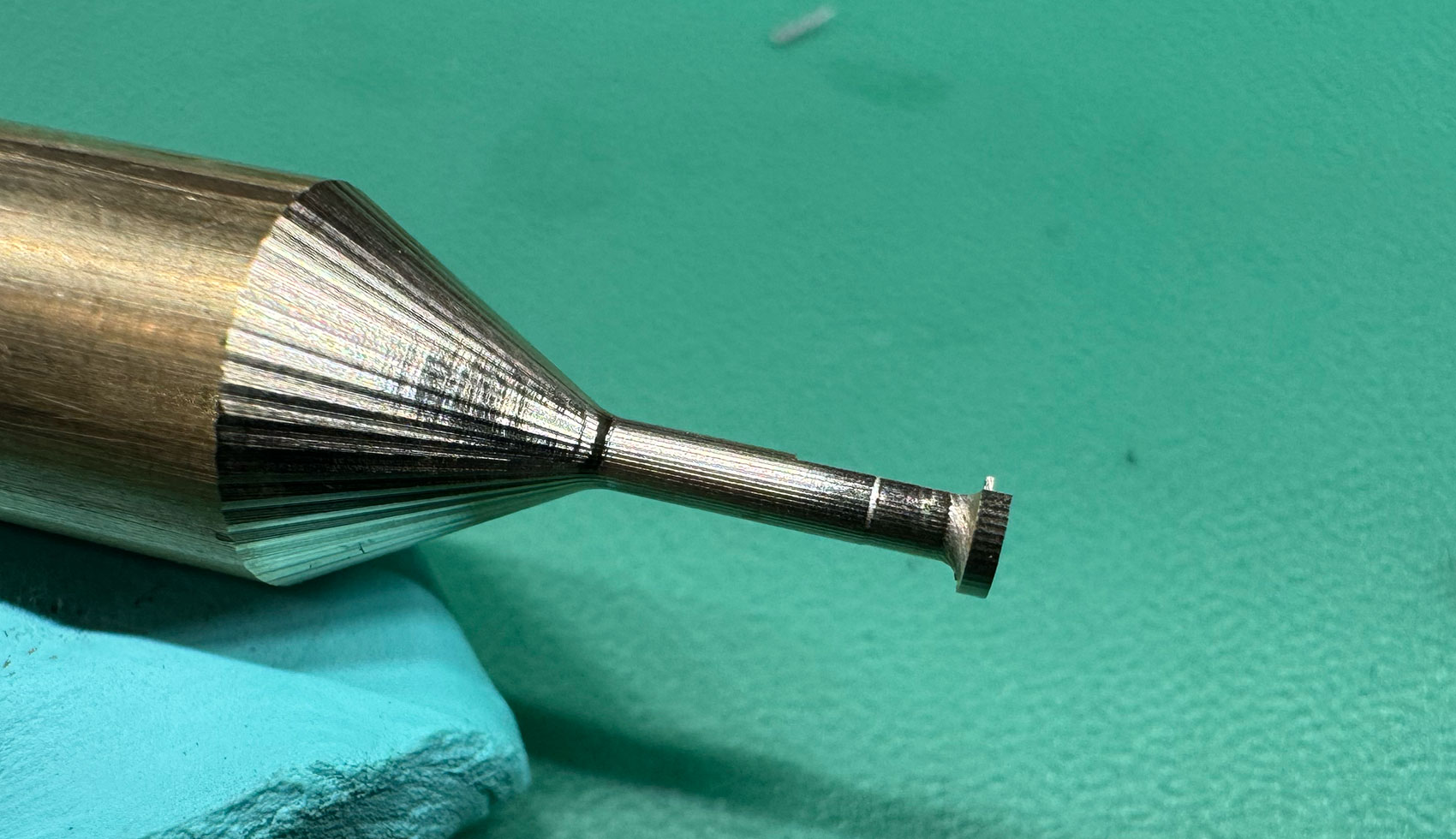
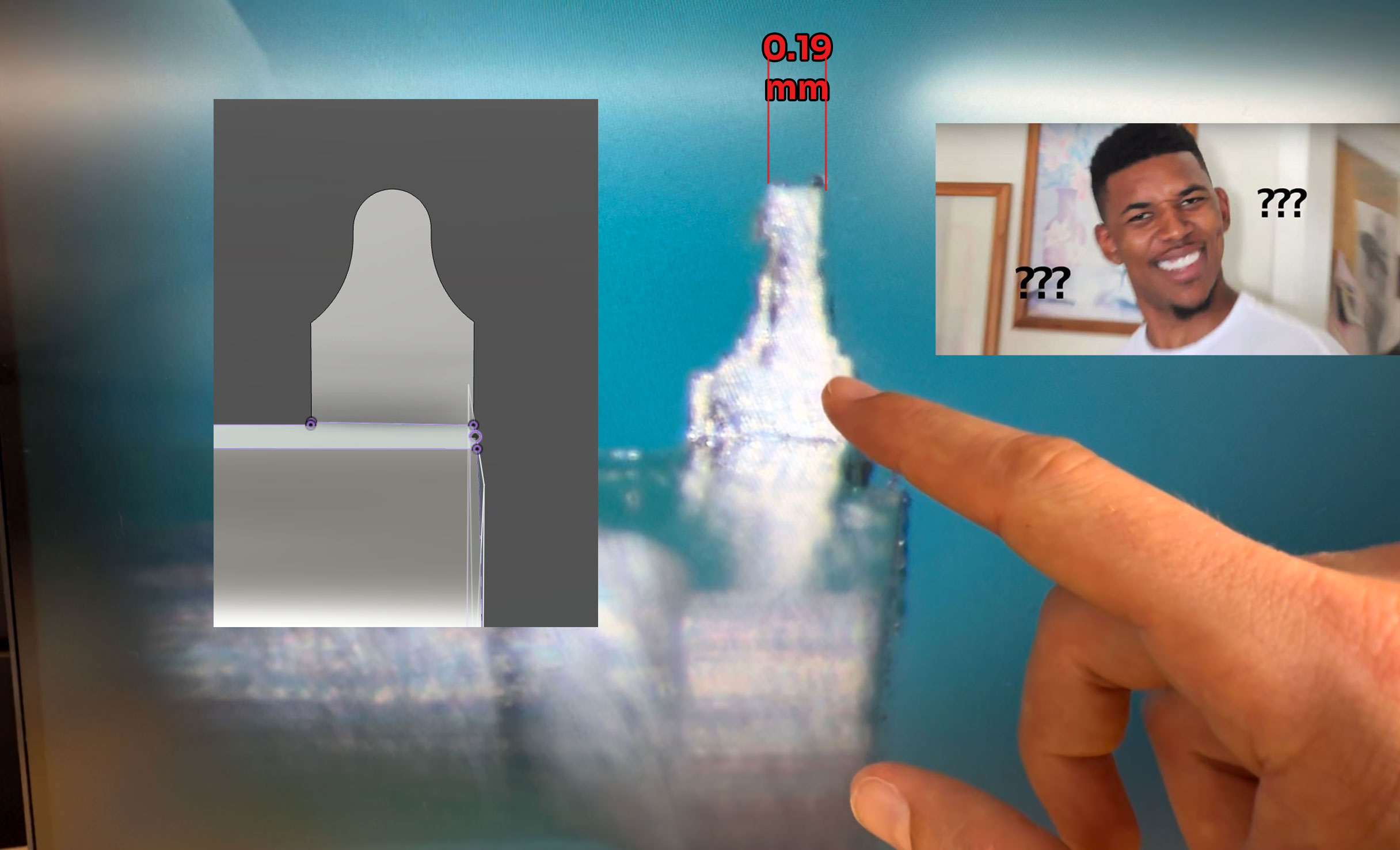
First day turning pixels into golden curls! I sent a 0.4 mm carbide ball-nose through brass using a four-step plan (well, three plus a skip) and the chips did not disappoint.
What a week—literally. I built this entire setup in seven caffeine-soaked days, hit run, and hoped the cutter wouldn’t find a new way to redecorate my vise. Every spin of the spindle felt like a coin toss between triumph and catastrophic crash. Roller-coaster, meet workshop. 🎢
But the gamble paid off. I sent a 0.4 mm carbide ball-nose through brass using a four-step plan (well, three plus a skip) and the chips did not disappoint:
Pass 0 – Rough shape: big step-overs, big chips.
Pass 1 – Finer rough: tighter outline, heat still low.
Pass 2 – Relief angle: light plunge to free the flanks before final form.
Pass 3 – Skipped: brass ≠ tool—edge saved for the good stuff.
Pass 4 – Gear-tooth detail: feather cuts that leave razor-sharp teeth (rapid plunge mellowed just enough!).
The result? Mirror-bright flanks, zero burrs, and—most importantly—no emergency e-stop drama. Still buzzing from the adrenaline.
Love watch-scale machining? Smash that like, drop your questions, and subscribe so you don’t miss the A-axis run-out test.
TLDRThe THREE.js CAM demo took its first flight, and it's as exciting as it sounds—think spinning cutters and twirling axes in a browser-based sandbox that's mimicking real machine paths. Watching the toolpath come to life with dynamic movement makes all those coding hours worthwhile. If you're curious, dive into the interactive playground to see this virtual machining magic for yourself. 🛠️✨
Show moreShow less
Big moment—time to push pixels into motion and see if the browser-based CAM sandbox behaves like a real machine. Spoiler: the cutters danced, the A-axis twirled, and I grinned like a kid with a brand-new loupe. 😊
Watching the path morph in real time made all those late-night refactors worth it. The spindle spins, the passes layer up, and the code footprint shrinks with every arc conversion.
Curious? Load the sandbox, drop a few points, and watch the tools trace air:
TLDRToday's G-Code update is a game-changer for smoother CNC operations: automatic pass-count adjusts cuts for different materials, arcs are now cleaner, and tool changes are seamless with new M6 support. The new code structure, with its tidy headers and footers, reduces machine downtime and stress, making programming more efficient and satisfying. If you're running a CNC, this update means less manual intervention and more precision—give it a spin and see for yourself! 🚄🔧
Show moreShow less
Today the toolpath builder got a healthy dose of refinement—little tweaks that make the code cleaner, the machine happier, and me way less stressed. Here’s the highlight reel:
More passes, smarter chips. Added automatic pass-count logic so the engine tweaks depth and step-over based on cutter diameter. Brass, steel—each material now gets just enough nibbles to keep chatter away without wasting machine time.
Arc simplification. Goodbye clunky point-to-point lines! A quick geometry pass converts eligible segments into slick G2/G3 moves. Fewer commands, smoother motion, prettier cutter marks. The spindle feels like it’s gliding on rails. 🚄
Tool-change support. We finally speak fluent M6. Pick one cutter for rough, another for finish, and the post inserts a safe retract, spindle stop, and automatic offset call. No more pausing the CNC mid-cycle to swap tools by hand.
G-Code header & footer polish. Kicked off a tidy preamble—units, work offsets, RPM, coolant—so every file starts the same. The footer parks axes, shuts the flood, and drops a cheeky comment that logs cycle time. Consistency really is underrated bliss.
Visual reference on every angle. Each time the A-axis rotates, the viewer drops a translucent “ghost” of the cutter at the new orientation. It’s like leaving breadcrumbs in 3-D space—one glance tells you if the tool is clear of clamps before committing chips.
Watching the code scroll now feels oddly satisfying: fewer characters, cleaner arcs, and that crisp header/footer sandwiching everything into a neat package. Next on deck? I think I'll try it on the machine with an empty stock, but with a mill. 🔧⌚️
TLDRDialing in a tool-centering camera is a precision task, almost like a watchmaker's job, but the effort pays off. With a dual-screen setup, neat wiring, and the perfect camera angle, getting those ultra-close shots has become more efficient and civilized. The challenge now is refining the Y-axis tool-centering routine for consistent accuracy, and once the A-axis rotation is perfected, it's full steam ahead with carbide bits. 🚀
Show moreShow less
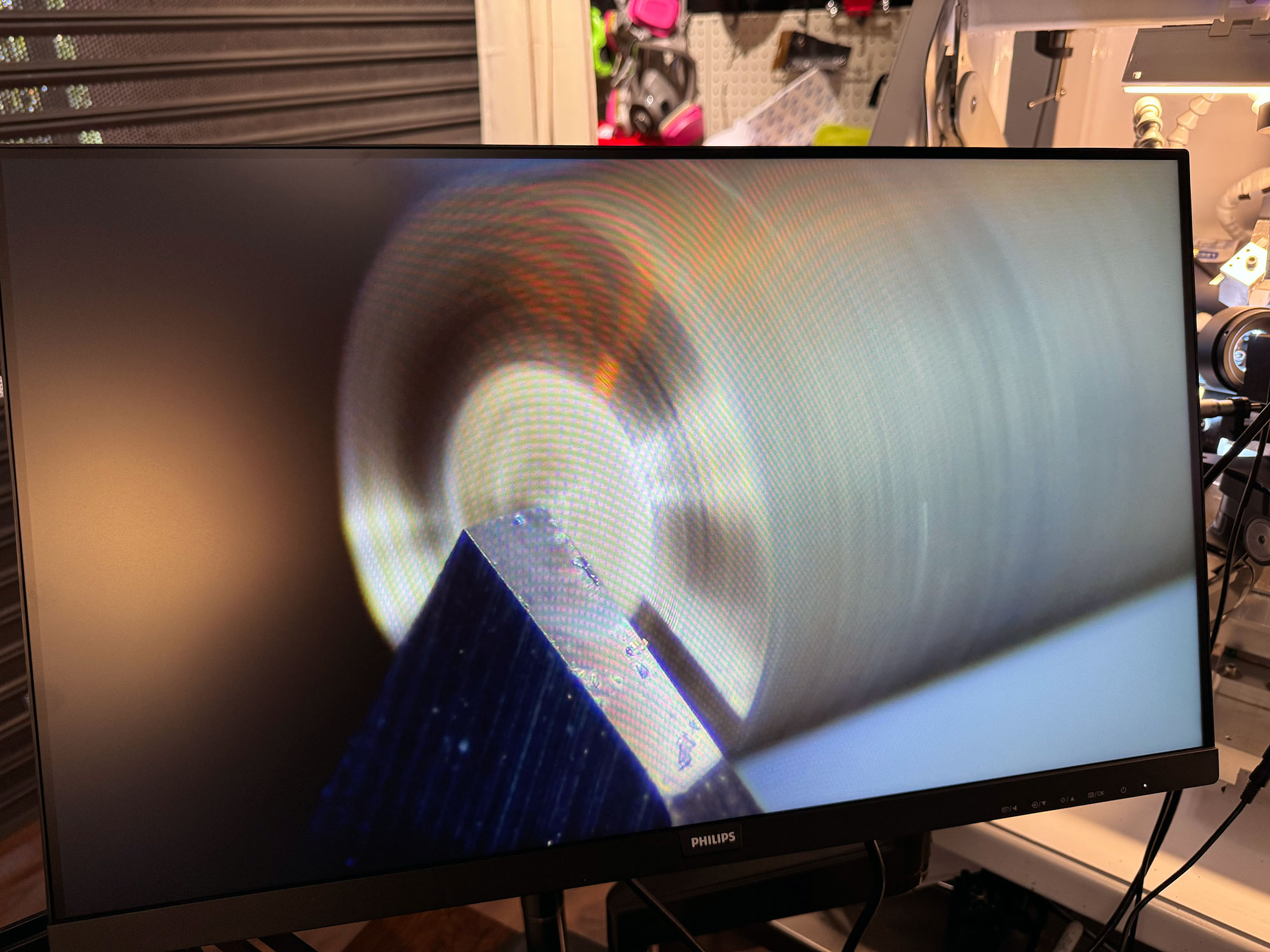
Took a breather from grinding CVD-tipped carbide bits and gave my eyes (and ears) a treat—camera alignment day! Getting the lens perfectly in line with a tool that’s barely thicker than a hair turned out to be its own little horological adventure.
Today’s mini-wins:
Dual-screen holder rig. Whipped up a two-arm stand so the inspection cam and its monitor hover as one unit. No more craning my neck between desk and machine—just glance, tweak, cut.
All wired, zero spaghetti. USB, power, HDMI—routed and zip-tied so nothing snags a moving axis. The garage looks… well, almost civilized. 😌
Found the sweet angle. A few degrees off-vertical gives just enough depth to judge tool height without hiding the cutting edge in glare. The moment the flute catches the light, you know you’re on plane.
Because the shot is crazy close-up, even stepping in front of the lens nudges the frame. The tripod quivers, focus wobbles—but it’s promising. A chunkier base or maybe a bit of mass-loading clay should calm those micro-tremors.
Most machinists center a tool by reading the tip’s X/Y, subtracting half the diameter, and calling it good. Easy math—unless your headstock boasts a full Y-axis (tool height) like mine. That third coordinate means the classic “diameter ÷ 2” trick only gets me halfway. I’m experimenting with a quick probe routine: kiss the tool off a ceramic block, capture the video zero, then jog Y until the flute vanishes beneath a reference line on-screen. Still rough, but at least it’ll be repeatable.
Next up: heading back to those carbide-bit toolpaths—the last puzzle piece is rotating the A axis after every pass so the cutter always meets fresh stock. Lock that in and the chips can finally fly. 🔄🛠️
TLDRThis blog dives into a slick browser-based toolpath generator using THREE.js and React, transforming sketch or point-cloud inputs into animated, precise cutter paths without the hassle of G-code. Key highlights include spindle animations that visually indicate RPM and load issues, a parametric feed rate that color-codes speed, and easy geometry integration with JSON snippets. The real game-changer? It's all about geometry-driven intent rather than raw code, making it both user-friendly and safer for precision tasks. Perfect for those looking to streamline and visualize their CNC processes! 🛠️
Show moreShow less
Another sprint in the virtual workshop and the browser-based toolpath generator keeps getting sharper. What started as a proof-of-concept—rendering cutter sweeps in THREE.js—now feels like a pocket-CAM you can open in a tab. The latest drop trades raw G-code import for something a little smarter: you sketch or paste a cloud of points, choose an offset distance, and the engine morphs that outline into a tight, back-and-forth tool dance complete with automatic retracts. No post-processor, no syntax errors—just pure geometry turned into motion.
Milling-bit animations. The spindle finally spins on screen! Each virtual tool carries its own loop keyed to your feed-slider, so a 12 000 RPM rougher whirls visibly faster than a 2 000 RPM finisher. It’s more than eye-candy: the motion helps spot mismatched step-overs at a glance—if the cutter’s screaming yet progress crawls, you know the chip load is off.
Parametric feed rate. Instead of parsing an F-word from G-code, a single slider now drives the linear feed for every segment the engine creates. During playback the toolpath hue shifts from cool blues at gentle feeds to warm ambers when you start pushing the limits. One glance tells you if your brass rough pass is baby-slow or your carbide micro-bit is about to cry.
Plug-and-play geometry. A refactor of the component library means adding new cutter shapes or diameters is basically a one-liner. Drop a JSON snippet—{ "type": "ballEnd", "diameter": 0.12 }—and the scene pulls in a pre-scaled STL, mounts it in the spindle, and wraps collision boundaries around the business end. Ideal when you’re juggling watch-scale tooling: need a 0.07 mm carbide ball nose? Pop it in, hit save, done.
Scroll-through collision hunt. The timeline now sports a buttery scrollbar that lets you scrub every move frame-by-frame. Potential crashes flash crimson, the camera snaps to the offending vertex, and the point-cloud offset updates live so you can widen clearances without playing detective. On a 4-axis barrel-arbor job—thousands of tiny A-rotations—that feature already saved me hours of forehead-denting.
Shape morphing instead of G-code. Here’s the big architectural twist. Rather than feeding the simulator raw NC code, you define intent: points that describe the part’s silhouette or an engraving loop. The engine expands that outline by your chosen distance, zigzags across the interior with an automatic step-over, and inserts retract hops at the boundaries. It then feeds those moves straight into the animation layer. Less control for now, but zero chance of a missing G00 sending the spindle through the table. Baby steps, but safe ones.
Tidy React hooks. Under the hood, React keeps state crisp while THREE.js handles shaders and meshes. I tossed out the imperative spaghetti, replaced it with functional hooks, and tidied context so the codebase finally feels as clean as the renders. Next stop: physics shaders so the chip-fling direction changes when the spindle tilts. Because why not? 🛠️
TLDRI just laid out a 3-stage plan to craft micro-cutters from solid carbide using a 4-axis CNC, all before making the first cut. The stages—coarse roughing, detail roughing, and edge finishing—are meticulously planned to ensure precision and a flawless finish. While Fusion 360 lacked some finesse, I created a custom toolchain to overcome its limitations, aiming for perfection in crafting intricate watch parts. 🚀
Show moreShow less
Quick Recap ⚙️
Hey there, fellow watch-tinkerers! I’m still deep in big-whiteboard territory—sketching every wheel, pivot, and bridge for my future movement while learning the nuances of a freshly built 4-axis CNC setup. No chips have flown—yet—but today I pinned down the machining playbook for two fully-sintered carbide micro-cutters. Each cutter will sculpt module 0.13 teeth on both the wheel and its mating pinion. Laying rock-solid foundations now should make first-cut day feel almost calm. 🙂
Today’s Deep Dive: Simulating the 3-Stage Cutter Strategy
Both cutters share the same three-step journey; only the final edge profile changes—one hugs the broader wheel involute, the other traces the slimmer pinion flank:
This first pass slims the 6 mm blank to about 2.2 mm in the cutting zone. Fusion 360’s adaptive roughing, paired with an 8 % synthetic-coolant mix, keeps simulated spindle load under 40 % and temperatures steady.
This pass shapes the shank relief and rough involute flanks to ±0.02 mm, leaving 30 µm for finishing. A mist-plus-air blast in the simulation prevents heat spikes while the A-axis keeps the blank rolling smoothly.
Stage 3 – Edge Finishing Planned tool: the same 1 mm bit, side-milling with its flute edge Simulated spindle: 38 000 RPM | Radial DOC: 1 µm | Axial step-up: 5 µm
Pure climb cuts deliver a predicted mirror finish of Ra ≤ 0.15 µm. Wheel and pinion curves are saved as separate “trace” paths, swapped in at post time.
Where Fusion 360 Fell Short—and the DIY Detour 🛠️
Fusion handled bulk removal nicely, but it simply wouldn’t allow multipass refinement when using multi-axis strategies like Swarf or Flow. Rather than compromise, I built a home-grown toolchain: TypeScript + THREE.js for 3-D visualization, plenty of trig to unwrap toolpaths, and ChatGPT to sanity-check the math. The script now exports blend-free G-code with helical lead-outs—something Fusion can’t (yet) do—so every line is under my control.
Target metrology: OD 2.000 ± 0.005 mm, tooth height 0.300 ± 0.003 mm—numbers I’ll verify in situ once the cutters arrive. Imagine neon toolpaths swirling like a galaxy instead of metal chips and you’ll have the idea. 🚀
Next Steps 🔧
Receive & loupe-inspect the Harvey Tool CVD mills (20× check on every flute).
Clock run-out to < 3 µm in the ER-20 collet system.
Dry-run Stage 1 G-code above a foam dummy to confirm clearances.
Tweak coolant-nozzle positions for uninterrupted chip evacuation.
Sign-off & Call-to-Action
Thanks for following along! If you’ve broken-in CVD tooling or have hard-won tips for ultra-fine gear cutting, I’d love to hear them—drop a reaction below or reach out on Nostr at @bitcoinwatchmaker. Your insights help turn these plans into perfectly cut teeth. 🙌
TLDRFusion 360's manufacturing extension isn't cutting it (literally) for precise multi-pass G-code tasks, frustrating even after forking out for it. So, instead of settling, I whipped up a custom solution using Vite and THREE.js to generate the G-code I needed. Sometimes DIY is the only way to get what you want, especially in CNC milling. 💻✍️
Show moreShow less
OH MY GOD. Fusion is great... but it can be painful.
All I wanted was a simple G-code pass — just take the CVD-coated mill bit and slowly shape it, one layer at a time.
But nope. Even after paying for the manufacturing extension, Fusion won't do it. Swarf? No multi-pass. Rotary parallel? Same story. Always goes deep. Always skips the careful steps I need.
What is this? this is a tool to cut the gear teeth which are super specific, delicate, so im having to mill fully sintered carbide, with diamond coated (CVD) tools, freaking carbide is what cuts everything else... this according to chatgpt is the limit of what can be done in CNC... not bad for a newbie haha
So... time for the long route. Built a Vite app. Hooked it up with THREE.js. Loads an STL and spits out the G-code I actually want 💻✍️
Normally I cant opensource things due to the NIHS rules being implemented everywhere, this I can if anyone wants it let me know
TLDRThe Train-of-Wheels script just got a significant upgrade: it now assembles everything from wheels to rubies with a single click and fine-tunes rotations for perfect symmetry. The standout? A Bitcoin 10-minute complication that’s ready to tick along blockchain time. Next, the focus shifts to crafting precise carbide bits for ultimate watchmaking precision. 🛠️⌚️
Show moreShow less
Big milestone today—the script now spins up wheels, staffs, and a full mainspring barrel in one click, then drops rubies into custom holders like it’s dealing cards at Monte Carlo.
Materials snap into place too—brass for wheels, polished steel for staffs, deep-red ruby jewels, and a flash of blued steel where it counts—so the CAD preview already looks heat-blued and bench-ready.
The real magic? A tidy joint system that lets me dial each rotation until the whole train lines up in picture-perfect symmetry. I also reworked the clearances between wheels so the bridges drop in clean and pick up those sweet 0.07 mm chamfers without a fuss. Watching it lock in is pure watch-nerd bliss.
Bonus win: after some head-scratching I finally found the sweet spot for the Bitcoin 10-minute complication—a pinion driving a wheel that meshes with an inner gear. Woah, can’t wait to see that block-time tick! ₿
Next up: diving into milling fully-sintered carbide bits shaped to match each tooth profile—turning pixels into cutting edges one micron at a time. Stay tuned! 🛠️⌚️
Script also adds the cuts so the wheel and pinion can be joined
TLDRI'm refining my watch design by choosing specific jewels for different parts: olive ring jewels with dual oil cups for the center and fourth wheel staffs, and a mix of olive/bombe and straight ring jewels for the escapement. I've also introduced a jewel holder, which will make maintenance easier and might allow for some cool material experiments like heat bluing. 🔧🔵
Show moreShow less
Kept pushing the script forward — this thing’s growing fast.
Settled on three jewel types. For the center and third wheel staffs, I’m using olive ring jewels with 2 oil cups on the bottom (dial side), and olive/bombe ring jewels on top (plate side).
Fourth wheel gets the same: olive with 2 oil cups. For the escapement, I’m going with one oil cup olive jewel on the bottom and a straight ring jewel with oil cup facing the dial.
Also added a jewel holder to the mix. Makes future servicing easier 🔧 and gives me room to explore materials and maybe some heat bluing 🔵